
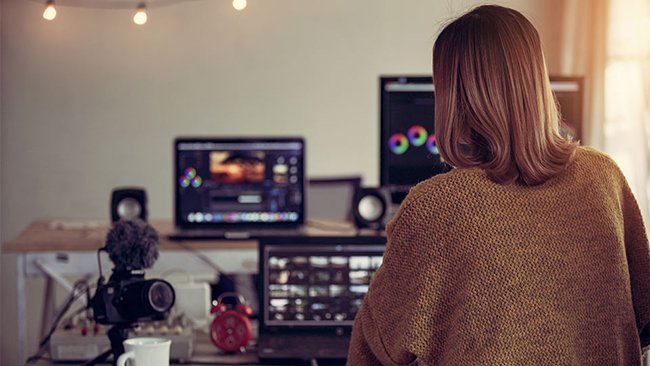
There are many ways to improve your podcast videos, but what about if you don’t have a video editor or staff? Or if you want to take your videos to the next level but don’t have the time or expertise to do it yourself? That’s where remote video editing services come in. They can take your standard videos and turn them into something special, adding effects, changing backgrounds, and more.
If you are not a professional video editor, you are probably wondering how to improve the quality of your podcast. Consider using remote video editing services to improve the audio quality and your overall podcast production experience. They have editors that are full of talent. They can help you with everything from transcribing interviews to adding music and sound effect. They will create an intro or outro for each episode.
Quality Transcription
Transcripts are essential for podcasting. They’re also a hassle to produce, which is why most podcasters pay someone else to do it. A quality transcript will improve your search engine optimization (SEO), social media reach, and website content by web development agency. It will help listeners engage with your content inside their favorite applications or device apps.
Enhanced Audio
The second service that remote video editing provides is audio enhancement. This is a process where they remove background noise from your audio. It will leave only your voice and any other sounds you want to keep. They can do audio enhancement at any point in the podcast production process. However, it’s not necessary until after you record all of your episodes.
Transcripts With Time Codes
In the podcast world, transcripts are used to find specific parts of the podcast. Podcasters can use them to share their content with search engines and anyone who wants to find a specific part of an episode.
When you send your transcript file for transcribing, ask for time codes. So that the transcriptionist knows where to start and stops recording each time someone talks. Time codes help give a precise location for each part of your podcast. And they make it easier for listeners to search through your episodes or record notes on what they hear.
Podcast File Formats
Several file formats use in podcasting. However, the one you should use depends on a few factors. If you’re using voice-over, it’s best to use an mp3 format. It can compress the audio easily without losing quality. If your podcast is primarily video-based, consider using a mov or mp4 file type. However, if your podcast has video and audio components, it may be best to use a MPEG file. It is a file type like mp4 or mov because it’s more universal across platforms. Order Valium Online
Use wav if you have a single voice delivering information about their topic. This helps listeners focus on what they’re saying instead of how they’re saying it.
Remote Video Editing Services Improve Your Podcast.
Video editing services can improve your podcast.
- Transcription services can improve your podcast.
- Transcription services can improve the quality of your podcast.
- Transcription services can improve the quality of your audio.
Final Words
The remote video editing services have become so popular because of their ease. They have a team of experts who can help you determine if this is something you need for your podcast.


