
Recording your screen is a handy way to create demonstrations, tutorials, or just capture something interesting you found on your monitor. You could do this with a video camera focused on your screen, but that would mean extra hassle setting up the shot and extra expense if you don’t already have a suitable camcorder.
The best solution is to use dedicated PC screen recorder software. This will enable you to record your screen activity with ease, usually with just a couple of clicks, and often free of charge.
There are plenty of free and paid-for screen recording tools out there, so we’ve rounded up the best screen recorder for PC to save you time and money. Read on to find our top picks.
The Top 5 Best Free Screen Recorder Apps
- iTop Screen Recorder
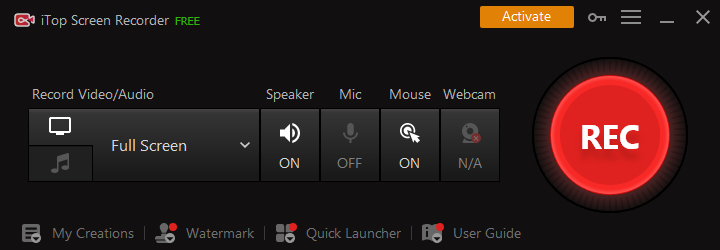
The iTop Screen Recorder is the best free screen recorder for PC. It’s simple to use and has all the features you need to create high-quality screen recordings.
While most free screen recorders come with a time limit, iTop Screen Recorder doesn’t have one. You can record your screen for as long as you want, and there are no watermarks or other restrictions.
iTop Screen Recorder lets you simultaneously record your webcam feed and audio from your microphone. This is perfect for creating tutorial videos or recording gaming footage with commentary.
- OBS Studio

Open Broadcaster Software (known as OBS) is one of the most popular video recording and live streaming tools. It’s free, open-source, and fully cross-platform — you can use it on Windows, Mac, or Linux.
OBS Studio is a very powerful and versatile free screen recorder, but it’s also quite complex. There are a lot of settings to tweak, and it can be tricky to get the hang of things, especially if you’re new to screen recording.
That said, OBS Studio is more than capable of meeting all your screen recording needs. Once you’ve set it up, you can record your screen, add overlays and alerts, change your resolution and frame rate, and much more.
- Apowersoft Free Online Screen Recorder

If you don’t want to install any software, Apowersoft Free Online Screen Recorder is worth a try. This free screen recorder Windows 10, has an intuitive interface and lets you record your screen with just a few clicks.
It’s completely web-based, so you don’t have to download anything to your computer. You can record your screen and audio simultaneously, and you can even record your webcam feed if you want to include a video of yourself in the recording.
There are a few caveats, though. You cannot capture footage on a second monitor, and gaming footage can be laggy and choppy.
- FlashBack Express

FlashBack Express is a free screen recorder from Blueberry Software. It’s simple to use, yet it’s packed with features to help you create great screen recordings.
You can record your screen, webcam, audio, and mouse clicks all at the same time, and you can even add captions and annotations to your recordings.
Once you’ve finished recording, you can edit your footage and export it to a variety of formats, including MP4, AVI, and GIF.
- Screencast-O-Matic

Screencast-O-Matic is arguably the best screen recorder for PC. It’s free to use, although there is a premium version available if you want to remove the watermark from your recordings.
The free version lets you record your screen and webcam simultaneously, and you can even add narration from your microphone if you want to create a tutorial.
Screencast-O-Matic also has a handy editor built-in, so you can trim your recordings and add annotations before you export them.
Wrapping Up
Whether you’re looking for a screen recorder Windows 10 or a free screen recorder, there’s an option on this list that’s perfect for you. While some of these screen recorders are more complex than others, they’re all capable of creating great screen recordings.
So, what are you waiting for? Get started with one of these free screen recorders today and start creating high-quality screen recordings.


