
Introduction
The retail industry has witnessed significant technological advancements in recent years, transforming the way businesses manage transactions and customer interactions. Among the most notable developments are point-of-sale (POS) systems, which streamline sales, inventory management, and reporting. Retailers today often face the choice between traditional desktop POS machines and modern mobile POS systems. Both have their advantages, but understanding their key differences is essential to select the solution that best fits a store’s operational needs.
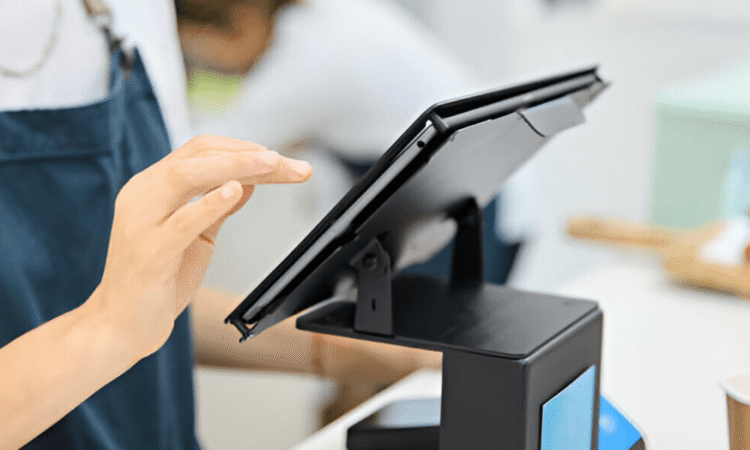
A desktop POS system is a fixed setup that typically includes a computer terminal, cash drawer, barcode scanner, receipt printer, and specialized POS software. On the other hand, mobile POS systems are portable devices, often in the form of tablets or smartphones, with attached card readers and cloud-based software. While mobile POS solutions offer flexibility, many retailers still rely on a Desktop POS Machine for its stability, processing power, and ability to handle high transaction volumes in a fixed retail environment.
Hardware and Portability
One of the most obvious differences between desktop and mobile POS systems is hardware and portability.
Desktop POS Machine
Desktop POS machines are stationary setups designed for high-volume retail environments. Their hardware is more robust, with larger screens, faster processors, and integrated peripheral support, including cash drawers, receipt printers, and barcode scanners. This setup ensures reliability and performance, especially in busy stores where multiple transactions occur simultaneously. The fixed nature of desktop systems also allows for more advanced configurations, such as dual monitors for customer-facing displays and extensive inventory integration.
Mobile POS Systems
Mobile POS systems prioritize portability over raw power. Typically, they run on tablets or smartphones, allowing employees to move freely around the store or even conduct transactions off-site. This mobility is ideal for pop-up shops, events, or restaurants where servers need to process payments tableside. However, mobile systems may have limitations in terms of peripheral support, processing speed, and the ability to handle high transaction volumes efficiently.
Software and Functionality
The choice between desktop and mobile POS systems also impacts software capabilities and functionality.
Desktop POS Machine Features
Desktop POS machines generally offer comprehensive software solutions designed for complex retail operations. Features often include advanced inventory management, detailed sales reporting, employee management, customer loyalty programs, and integration with accounting or e-commerce platforms. This depth of functionality makes desktop POS machines suitable for stores with large inventories, multiple registers, and a need for detailed business analytics.
Mobile POS Features
Mobile POS systems usually provide cloud-based software with a focus on ease of use and mobility. While they can process payments, track inventory, and manage basic reporting, they may lack the advanced analytics and integration options of desktop systems. Mobile POS platforms are often subscription-based, providing flexibility and regular updates but sometimes at the cost of functionality compared to more robust desktop setups.
Performance and Reliability
Performance and reliability are critical considerations for any POS system, as they directly affect customer experience and business operations.
Desktop POS Machines
A desktop POS system excels in reliability and performance. Its powerful processor and stable hardware allow for fast transaction processing, even during peak shopping hours. The stationary setup reduces the risk of connectivity issues or battery-related downtime, ensuring consistent operation. Retailers handling a high volume of daily transactions often prefer desktop POS machines for their dependability.
Mobile POS Systems
While mobile POS systems are convenient, they rely heavily on wireless connectivity and device battery life. Slow or unreliable internet connections can disrupt transactions, potentially causing delays at checkout. For smaller stores or businesses that do not require intensive transaction handling, mobile POS systems are sufficient, but for high-traffic retail locations, their performance may be limited compared to desktop alternatives.
Cost and Scalability
Budget and scalability are important factors when choosing a POS system.
Desktop POS Machines
Desktop POS machines typically involve higher upfront costs due to the robust hardware and comprehensive software. However, they offer long-term value by supporting multiple registers, integrated peripherals, and scalable software features that grow with the business. This makes them suitable for larger retail stores or businesses planning to expand operations.
Mobile POS Systems
Mobile POS systems often have lower initial costs since they use existing tablets or smartphones. Subscription-based software models provide flexibility but may incur ongoing expenses. Mobile POS systems are ideal for small businesses, temporary setups, or retailers seeking portability, though they may need to upgrade hardware and software as the business grows.
Conclusion
Choosing between a desktop POS machine and a mobile POS system depends largely on the operational needs, transaction volume, and growth plans of a retail business.
Desktop POS machines offer stability, performance, and comprehensive features that make them ideal for high-volume stores with multiple registers and extensive inventory management needs. Their robust hardware and advanced software capabilities provide reliable checkout processing, detailed reporting, and seamless integration with other business systems.
Mobile POS systems, in contrast, provide flexibility, portability, and lower initial costs, making them suitable for small stores, temporary setups, or businesses that prioritize mobility over raw power. While mobile systems offer convenience, they may not match the speed, peripheral support, or analytics capabilities of desktop solutions.


