
Introduction to POS System Infrastructure
In modern retail and service industries, a point-of-sale (POS) system has become an indispensable tool for streamlining operations, managing transactions, and improving customer experiences. A POS solution combines various hardware and software components to facilitate sales processing, inventory tracking, reporting, and customer management. However, not all POS systems are created equal, and businesses must understand the essential infrastructure required to support efficient and reliable performance. Whether you operate a single-store boutique, a multi-location franchise, or a full-scale restaurant, selecting the right hardware and software components ensures optimal workflow and minimal downtime.
A well-designed POS configuration enhances operational efficiency by reducing manual errors, improving transaction speed, and integrating diverse business functions into a cohesive platform. This article explores the critical hardware and software components necessary for a fully functional POS solution and highlights how each element contributes to better business management.
Core Hardware Components
At the heart of any POS setup lies a suite of hardware devices that work together to process sales and manage operations. These components form the backbone of transaction management, and selecting reliable hardware is essential for long-term performance.
POS Terminal
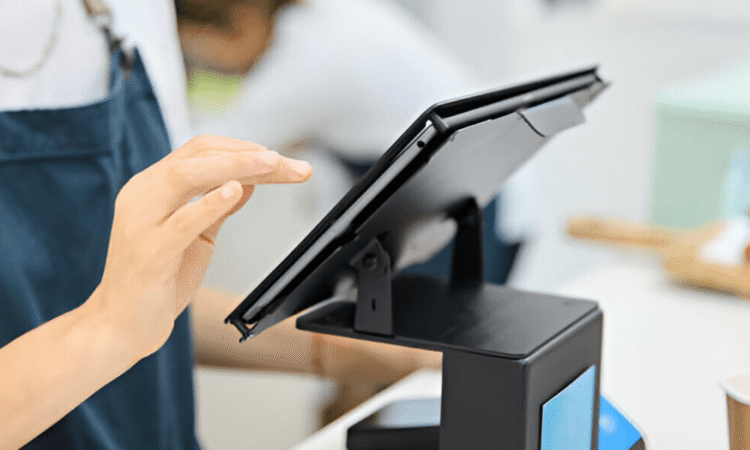
The POS terminal is the central device that hosts the POS software and serves as the primary interaction point for staff and customers. It can be a desktop computer, a tablet, or a hybrid terminal designed specifically for POS environments. The terminal should be robust enough to run POS software smoothly, with sufficient processing power, storage capacity, and memory to handle daily operations without lag.
Receipt Printer
A receipt printer is a vital peripheral that prints transaction receipts for customers. Thermal printers are commonly used in POS environments due to their speed, quiet operation, and low maintenance needs. These printers connect directly to the POS terminal and must support standard receipt formats.
Barcode Scanner
Barcode scanners automate product identification and speed up transaction processing. By scanning barcodes, sales associates avoid manual entry errors and ensure accurate pricing and inventory tracking. Handheld or fixed-mount scanners are available, with some models offering wireless connectivity for added flexibility.
Cash Drawer
Although digital payment methods are increasingly common, many businesses still handle cash transactions. A secure and durable cash drawer integrates with the POS system and opens automatically when a cash sale is completed. The drawer should be sturdy and lockable to protect cash and receipts.
Payment Terminal
A payment terminal facilitates electronic payment processing, including credit and debit card transactions. Modern terminals support contactless payments, chip cards, and mobile wallets, making them versatile tools for efficient checkout. Secure encryption and compliance with payment industry standards are critical features for any payment terminal.
Essential Software Requirements
Just as important as hardware, the POS software manages key business functions and enables seamless transaction processing. The right software ensures accuracy, security, and operational control.
POS Application
The core of any POS setup is the POS software itself. This application processes sales transactions, applies pricing rules, calculates taxes, and updates inventory in real time. An effective POS application should be user-friendly, customizable, and capable of integrating with other business systems such as accounting or e-commerce platforms.
Inventory Management Tools
Real-time inventory tracking is a fundamental software feature that prevents stockouts, overstocking, and inventory shrinkage. Inventory management tools within the POS system update stock levels automatically when sales occur and provide alerts when reordering is necessary. These tools offer visibility into stock movement and help businesses make informed purchasing decisions.
Customer Relationship Management (CRM)
POS software with integrated customer relationship management (CRM) capabilities enables businesses to store customer profiles, track purchase histories, and run loyalty programs. Personalized promotions and targeted marketing efforts become easier with detailed customer data, fostering stronger customer engagement and repeat business.
Reporting and Analytics
Data-driven decision-making is essential for business growth. POS reporting and analytics tools generate insights into sales trends, employee performance, best-selling products, and more. Customizable dashboards and exportable reports allow managers to monitor key metrics and plan strategic initiatives.
Security and Compliance Features
Security is a top priority for any POS solution, as these systems process sensitive payment and customer information. Built-in security features such as data encryption, user authentication, access controls, and audit logs protect against unauthorized access and data breaches. Additionally, compliance with industry standards such as PCI DSS (Payment Card Industry Data Security Standard) is essential for any POS software that handles payment card data.
Network and Connectivity Considerations
Reliable network infrastructure supports smooth communication among POS devices, servers, and peripheral hardware. For businesses using cloud-based solutions or multiple terminals, a stable internet connection is essential. Wired Ethernet connections offer consistent performance in high-traffic environments, while wireless connectivity can add flexibility for mobile POS terminals or remote access. Regardless of the setup, network security measures such as firewalls, secure Wi-Fi protocols, and network segmentation help protect sensitive data.
Integration with Other Business Systems
Modern businesses often require their POS systems to work seamlessly with other tools, such as accounting software, e-commerce platforms, and third-party applications. Integration capabilities eliminate redundant data entry, improve accuracy, and streamline operations across departments. When evaluating POS solutions, ensure they support open APIs or predefined connectors for essential business applications.
Conclusion
Selecting the right hardware and software components is critical for implementing an effective POS solution. A Complete POS System seamlessly combines powerful software with reliable hardware to support sales processing, inventory control, customer engagement, and data analytics. Understanding the essential requirements helps businesses make informed decisions that enhance productivity and improve overall operational efficiency.
Investing in quality POS infrastructure not only improves daily workflows but also prepares businesses for future growth and technological advancements. With the right components in place, businesses can deliver exceptional customer experiences while maintaining accurate records and robust operational control.




