
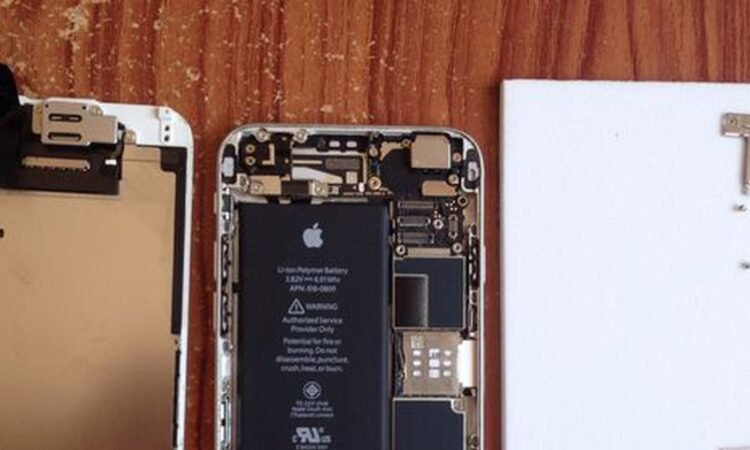
There are many reasons why your iPhone battery may be dying on you. You may have a lot of apps running in the background, or maybe you use your phone all day long without charging it at night. Whatever the reason, it can be frustrating when your iPhone is no longer holding a charge for as long as it used to.
The good news is that you don’t have to buy a new phone—you can get your iPhone Battery Replacement. You may have heard that changing your Battery can be dangerous, but many reputable shops always do it. The key is finding a reputable shop and following their instructions carefully so you don’t damage your phone.
Know the Signs of a Dying Battery: The easiest way to tell whether your iPhone’s Battery is dying is to check the meter. That shows how much charge you have left in five percent increments (for example, “70%,” “80%”) and can also be found in settings under Battery. If you see that your phone has only 20% of its battery life remaining and it’s been about an hour since you last charged it, this could mean that your Battery needs replacing.
If your iPhone is running slowly or acting strangely, it may signify a dying Battery. You can also try resetting your device by holding the Sleep/Wake button and Home button until the Apple logo appears on the screen. That will reboot your iPhone but not erase any data stored on it.
If your iPhone still gives you trouble after resetting it, you may have a faulty Battery. You can take it to an cell phone accessories store and have one installed for free if you are under warranty or purchase an authorized replacement online.
Don’t Put Off a Battery Replacement: If your Battery is dying very quickly or only holds a charge for a short time after recharging it, this could be another sign that you need a new battery. If your phone has typically been operating for quite some time but suddenly starts showing these signs and symptoms, this may also indicate that it’s time to replace your Battery.
If your phone has been dropped or damaged anyway, this can cause damage to internal circuitry of the device. If your phone was dropped or submerged in water and still operates, a new Battery might fix the problem.
In most cases, a new battery is an inexpensive solution to a big problem. If you have any of these issues with your device and suspect that there might be a problem with the Battery itself, contact us today!
If your phone is still under warranty, you can replace your defective Battery at no cost. In most cases, iPhone Battery Replacement without sending the device in for service is possible. If you need help with how to take apart your device, don’t worry! We’ll walk through each step with you and ensure everything is working correctly before sending it back out.
Avoid Using Your Phone as a Battery Pack: If you have an external battery pack and need to charge your phone, don’t use your phone as a battery pack in place of the power bank. That is because phones are not designed to be constantly charged, so they will wear out faster if used this way.
If you have the option, it’s better to use a dedicated charging device. But if you must use your phone as a battery pack, keep it from charging for more than an hour or two at a time.
A better solution is to use a portable charger with multiple ports to charge multiple devices simultaneously. That will make it easier for everyone in your family to keep their phones charged throughout the day or night.
Do Your Research First: You should check the settings when your Battery is running low. If your phone has been set to conserve power, it may be drawing less power than usual. That can make it seem like the Battery is draining faster than usual. You can also try turning off some of your phone’s apps and services if you notice this.
If you want to replace the Battery in your phone, make sure you’re buying a compatible replacement. There are many different types of batteries, so check your phone’s model number before buying anything. If you need clarification on what type of Battery your phone has or if it will fit, you can always ask a professional. You can also find information at a cell phone accessories store about the type of Battery that fits your phone model.
Get Your iPhone Battery Replaced by Professionals: One of the most common problems people face when they own an iPhone is a battery that doesn’t last long enough. That can be frustrating for anyone who wants their phone to last throughout the day, but it’s incredibly frustrating for people who rely on their phone for work or other purposes.
You can do many things to try and fix this problem, but if you’ve tried everything and still need to be happier with the results, it’s time to consider bringing it to a professional. Many companies can replace the Battery in your iPhone for you, and these professionals often have better equipment and experience than the average person.
If you don’t feel comfortable repairing yourself, many professionals can replace your iPhone battery for you. These professionals often have various tools and equipment that make it easier to get the job done right, so it’s worth checking into this option if you want to be sure your phone is in good condition when you leave.
Conclusion
If your iPhone is no longer holding a charge and you want to save money by doing it yourself, it’s possible to iPhone Battery Replacement. However, we recommend visiting a reputable repair shop first to get the necessary parts or tools. Make sure that wherever you go, they have the right parts for your model phone before replacing your Battery.


