Introduction
In today’s fast-paced world, we rely heavily on our smartphones to get through the day. From managing tasks to staying connected, Android devices have become an essential part of our lives. But what if you could streamline your device’s functionality and boost your productivity with just a few simple adjustments? Enter Button Master – quick shortcuts app, a powerful app that allows you to customize your Android device with floating buttons, shortcuts, and gestures, all designed to make your daily smartphone use more efficient and seamless.
In this article, we will explore how Button Master Free can help you enhance your Android device experience and increase your productivity with minimal effort.
What is Button Master Free?
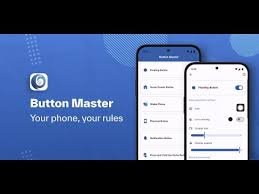
Button Master Free is an Android app that provides users with a customizable floating button interface, similar to iOS’s Assistive Touch feature. This app allows you to access system functions, applications, and various shortcuts directly from a floating button that stays on top of other apps. Whether you’re trying to quickly lock your screen, access your most-used apps, or control media playback, Button Master Free makes these tasks quicker and easier.
Key Features of Button Master Free
1. Customizable Floating Buttons
One of the standout features of Button Master Free is its customizable floating buttons. You can create multiple floating buttons, each of which can be assigned a specific function or shortcut. Whether it’s opening your favorite app, taking a screenshot, or toggling Wi-Fi, these buttons give you quick access to all the features you use most often.
2. Gesture Control
Button Master Free takes productivity a step further by enabling gesture controls. With simple gestures like shaking your phone or waving your hand over the screen, you can trigger actions like locking your device, turning on the flashlight, or even answering calls. This hands-free functionality is especially useful when you’re on the go or multitasking.
3. Quick Access to System Settings
With Button Master Free, you no longer have to navigate through multiple menus to adjust your device settings. The app lets you place quick access buttons for settings like volume control, screen brightness, Wi-Fi, and more. This means you can manage your device’s settings with just a tap, without the need to go into the settings menu.
4. Screen Lock and Touch Lock Features
Another feature that adds to your productivity is the ability to lock your screen or disable the touch panel with a simple tap. This is particularly helpful when you’re working on a long task and want to prevent accidental touches, ensuring that your screen remains focused on the task at hand.
5. App Shortcuts and Task Automation
Button Master Free also includes support for app shortcuts and task automation. You can create shortcuts for frequently used apps, making it easy to open them directly from the floating button. Additionally, you can automate certain tasks, such as enabling “Do Not Disturb” mode when you’re in a meeting or setting your device to mute during the night.
How Button Master Free Can Boost Your Productivity
1. Quick Access to Apps and Functions
We all have those apps we use multiple times a day, such as messaging apps, email clients, or social media. With Button Master Free, you can assign these apps to floating buttons, making them accessible at the touch of a button, without having to dig through your app drawer. This saves you valuable time and helps you stay focused on your tasks.
2. Streamlined Device Navigation
Navigating your Android device can sometimes be cumbersome, especially when you’re juggling multiple apps or windows. Button Master Free simplifies navigation by allowing you to access essential functions and shortcuts without switching between apps or searching through menus. This helps you stay organized and minimizes distractions, allowing you to focus on what matters most.
3. Hands-Free Control for Multitasking
Button Master Free’s gesture control feature is perfect for multitaskers. Whether you’re typing an email or browsing the web, you can control your device with simple gestures, reducing the need to tap or swipe constantly. This hands-free functionality allows you to stay productive even when you’re occupied with other tasks, such as cooking or exercising.
4. Improved Battery Life Management
Another productivity boost comes from Button Master Free’s ability to give you quick access to essential battery-saving features like screen brightness and Wi-Fi. With these features at your fingertips, you can easily adjust your settings to conserve battery life without having to navigate through several menus.
5. Enhanced Accessibility
Button Master Free is also beneficial for individuals with disabilities. The app’s customizable floating buttons and gesture controls can be tailored to suit different accessibility needs. For example, users with limited mobility can set up the app to perform tasks with minimal physical effort, helping them to interact with their device more effectively.
How to Set Up Button Master Free
Setting up Button Master Free is straightforward. Simply follow these steps:
- Download and install the Button Master Free app from the Google Play Store.
- Open the app and grant the necessary permissions for it to function properly.
- Customize your floating buttons by selecting the functions or apps you want to assign.
- Set up gesture controls, if desired, by enabling the “Shake to Trigger” or “Air Gestures” options.
- Place the floating button on your home screen and start using it to access your favorite apps, shortcuts, and settings.
Conclusion
Button Master Free is a highly effective tool for anyone looking to enhance their Android device experience and boost productivity. With its customizable floating buttons, gesture controls, and quick access to system settings, it simplifies navigation, reduces distractions, and improves overall device management. Whether you’re a busy professional, a multitasker, or someone looking to improve accessibility, Button Master Free offers a simple solution to make your Android experience more efficient.