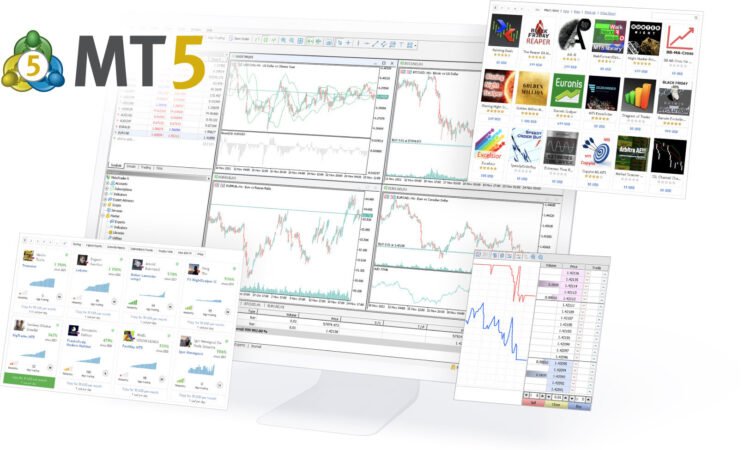
Have you ever found yourself wondering about the world of online trading? Maybe you’ve heard of Metatrader 5, but you’re not quite sure what it is or how to get started. In this easy-to-understand guide, we’ll explore the ins and outs of the Metatrader 5 download process, offering you actionable tips and advice to kickstart your trading journey. Whether you’re a beginner or an experienced trader, this post is designed to help you navigate the world of Metatrader 5 with ease.
What is Metatrader 5?
Metatrader 5 is a popular trading platform known for its advanced features, user-friendly interface, and flexibility. It’s the successor of Metatrader 4 and offers enhanced capabilities like more timeframes, advanced charting tools, and better support for automated trading strategies. Whether you’re into forex, stocks, or commodities, Metatrader 5 caters to a wide range of markets.
Why Choose Metatrader 5?
- Advanced Technical Analysis: With more indicators and charting tools than its predecessor, Metatrader 5 allows for in-depth market analysis.
- Automated Trading: Known for its Expert Advisors (EAs), the platform enables automated trading strategies.
- Multi-Asset Platform: Trade a variety of assets, including forex, stocks, and commodities, all from one platform.
- Enhanced Trading Speed: Faster and more efficient, Metatrader 5 can handle high-frequency trading with ease.
Getting Started with Metatrader 5 Download
- Choose a Broker: Before you can use Metatrader 5, you need to select a broker that supports the platform. Look for brokers who offer good customer support, competitive spreads, and a range of assets.
- Download the Platform: You can download Metatrader 5 directly from the official website or through your chosen broker’s website. Ensure your computer meets the system requirements for a smooth experience.
- Set Up a Demo Account: Before diving into real trading, practice with a demo account. This way, you can get familiar with the platform’s features without risking real money.
Tips for Using Metatrader 5
- Explore the Tools: Take time to understand the various tools and charts available in Metatrader 5. Experiment with different indicators and timeframes to find what works best for your trading style.
- Customize Your Workspace: Metatrader 5 allows you to customize the interface. Organize your charts and tools in a way that makes sense for you.
- Learn to Use Expert Advisors: These automated trading bots can execute trades on your behalf based on predefined criteria. Experiment with them on your demo account.
- Stay Informed: Keep up with financial news and market trends. Metatrader 5 offers access to financial news and an economic calendar to help you make informed decisions.
Common Pitfalls to Avoid
- Over-reliance on Automation: While EAs are helpful, don’t rely solely on them. Combine automated trading with manual strategies.
- Ignoring Demo Trading: The demo account is a valuable tool. Use it extensively to test strategies without financial risk.
- Neglecting Learning Resources: Metatrader 5 offers various resources and tutorials. Take advantage of these to enhance your trading skills.
Conclusion
The Metatrader 5 download is your first step into a world of advanced trading possibilities. With its robust features, user-friendly interface, and flexibility, it caters to traders of all levels. Remember, the key to success in trading is not just the platform but how you use it. Practice, stay informed, and don’t hesitate to start small. Happy trading!