
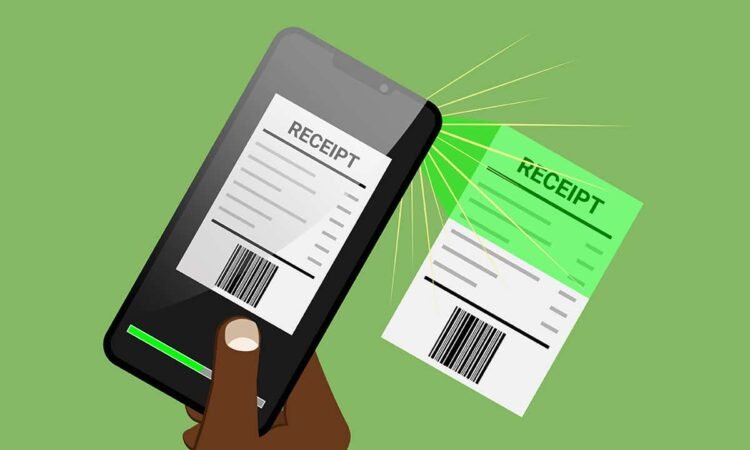
The expense management software in an organization is deployed to process all the expense-related works and documents – approval, reports, and employee reimbursements. You should be aware of its operations and management, as this process can make or break any business in various financial ways. You need to involve an expense management automation system for all your accounting, and expense handling operations, which will help the HR and finance departments to process the claims easily.
To make an accountant’s life easier, receipt scanners can be used to make filling expenses quicker and more accurate.
In this article, we’ll talk about how a receipt scanning app simplifies expense management and ensures quicker and more efficient operations.
Importance of expense management
Expense management serves different purposes in handling the business expenses of a company, which impacts every stakeholder. For instance, the finance team focuses on the maintenance of accounting and financial records for easy operations and budget forecasting. For employees, expense management means faster reimbursements with no hassle. For stakeholders and owners, it stands for growth, risk mitigation, productivity, cost cutting, and employee ease of expense reimbursements.
Therefore, we have numerous benefits of having a well-defined expense management system.
When your expense reimbursement cycle is kept short, it provides an easy way for the employees to correctly report the business expenses on time. This improves employee retention and productivity.
When the process of expense management is streamlined, it provides accurate financial insights into the accounting data. It helps the management teams to cut down costs and foresee potential risks. Also, if your records are well-maintained and in compliance, then you receive major tax benefits.
Benefits of Receipt Scanning Software for Expense Management
Digitizing your paper-based receipts and other important documents is the solution to a majority of your expense management problems, and a receipt scanner tool is an ideal software for the job. Some expense software includes built-in receipt scanning technology that lets you easily consolidate all your documents and access them regardless of where you are.
Here’s how receipt scanning improves expense management processes:
1. Ensures portability
If you want to automate the process of managing expense reports and receipts for employees or contractors, you will need a receipt scanner that can work on the go. Such receipt scanners can either be a stand-alone portable scanner or a digital software.
The size of the scanner determines its portability, too. Always, go for a lightweight and compact device that could fit in your briefcase or backpack with ease.
2. Saves time
Even the smallest of mistakes in expense management like inserting compromised receipts and invoices can cost businesses a great deal of time and money to fix (depending on the surrounding circumstances).
The OCR code of your receipts can be customized to include parameters that can flag and notify your clients when duplicate entries and invoices with questionable data are uploaded.
Your client’s accountant can immediately retrieve the flagged entries and review them for authenticity before they’re finalized.
This saves a lot of time and money for your precious clients, thereby increasing their user experience with your software.
3. Provides access to records from anywhere, at anytime
A portable receipt scanner coupled with the advantage of online access is extremely convenient. This increases the capability to integrate with accounting software, thereby speeding up the workflow. You can also access all your receipts from any corner of the world at any time.
4. Ensures accuracy and efficiency of data
It has been a long practice of managing expenses in a complicated manner in the organizations, as they were lengthy, laborious, and redundant tasks. The business expenses incurred by the employees required months of waiting in the line of reimbursement approval chain, and sometimes it gets rejected after months, which demotivated the employees. This used to be a normal norm due to a lack of automation.
Though you can still print any text from the computers, converting those images or documents in the required formats to interpret the information is time-consuming. Thanks to the evolving OCR technology, which provides receipt scanning software solutions for businesses with ease of format conversions.
5. Ensures data and financial security
Receipt scanning software can guarantee financial data privacy and security. Receipt OCR APIs are highly helpful in making it easy for your clients in updating their expense reports without any security threat.
Security measures provided by the software will ensure that only authorized personnel can access your client’s financial data.
Conclusion
Receipt scanners come in various forms—they can be physical (desktop-based) or digital (apps and software). So, understand the key features and utility of the tool before investing in it. This will ensure that you have the right receipt scanning software that best serves your purpose. The software saves a lot of time and money for your precious clients, thereby increasing their user experience with your software.
Dext expense management software comes with a built-in receipt scanning technology to ensure you can scan and upload printed receipts and documents on the go.
Register for a free trial of Dext and get started!




