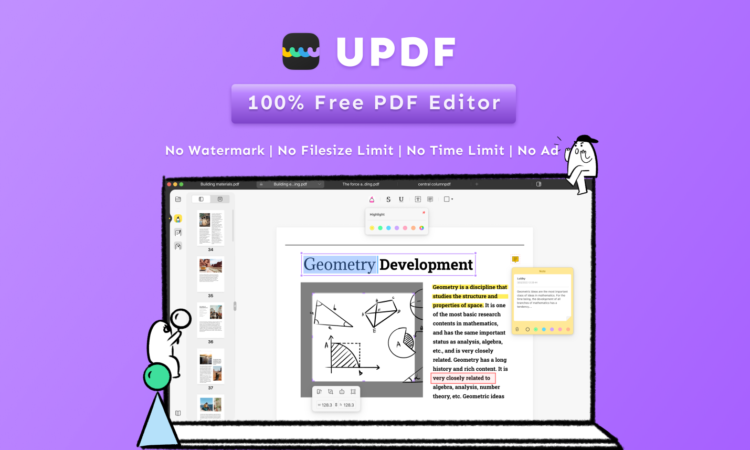
Quick Summary
UPDF is the best pdf editor for editing and annotating PDF files. It has many options like editing text, images, tables, shapes, and drawings. UPDF is intuitive to use and has a simple yet powerful user interface. Adobe Acrobat is a PDF viewer, editor, and creator that provides a simple way to view, create and share PDFs on your computer. Acrobat is also available for Windows, macOS, and Linux. Smallpdf editor is a program that offers a complete set of tools for editing documents and creating PDF files. It has many features, such as print, export, and merge. It also has a user-friendly interface that makes it easy to use
UPDF:
UPDF is a unique, productive, delightful, and free PDF editor that combines the best features of all other free and paid PDF editors.
It has many valuable features like editing, exporting, reading, resizing, annotating, etc. UPDF is a free PDF editor that allows you to add comments, annotations, and highlights to your files. You can also enjoy multilingual support, page management tools, Comment, and multiple reading mode.
- Features:
- UPDF is a free PDF editor that supports all major features of the PDF format, including text annotation, text addition, existing text modification, updating fonts, image addition, replacement, and many more.
- View PDF in a very cool and attractive way
- Zoom in/out ability
- View pages or a single page with its multiple reading modes.
- Easy to use due to its user friendly manner
- Fastest viewing speed
- It makes documents more reliable due to its robust annotation tools.
- Page resizing, cropping images, and rotating features o to page management tools
- Add various shapes and comment properties.
- Create bookmarks in the document – making your paper more organized.
- Text annotation: You can add comments to your PDF files.
- UPDF supports many languages and is available in English, Russian, Chinese Tradition, French, German, Italian, Spanish, Portuguese, Chinese Simplified, Japanese, and Korean.
- Highlight, strikethrough, and underline the text due to its text markups feature.
Advantages of UPDF
The following are some advantages of using UPDF:
- It is easy to use
- It needs no experience for
- The UI is simple
- You can use it for free
- It supports ten plus language
- It is multifunctional to make your work very easy.
- You can use several different fonts in your documents.
- You can add annotations to the document by drawing lines or circles on your computer screen. The annotations aren’t stored in the PDF file itself; they’re just temporary marks on the display screen.
Adobe Acrobat:

Adobe Acrobat is a multifunctional PDF creator, editor, and reader. You can create PDF files, edit existing PDF documents, merge multiple PDF files into one large file, and convert between different file formats (Text/Image/XML, etc.). It converts files from one format to another (e.g., Microsoft Word to Adobe Acrobat). Adobe Acrobat is available for Windows, macOS, Linux, and iOS. Adobe Acrobat offers powerful editing and annotation tools that make it easy to create, edit and personalize PDFs.
Adobe Acrobat is a PDF editing and creation software developed by Adobe Systems. You can use it to create, edit, sign, print, and convert PDF documents. Acrobat includes many advanced features for creating and editing PDF files. You can use it to create PDFs from scratch or convert existing files into PDF format
UPDF Is the Best Free Alternative To Adobe Acrobat
Despite all the features, Adobe Acrobat is one of the paid software. Everyone needs an alternative free PDF editor with advanced features like adobe acrobat. UPDF is a free, open-source alternative to the Adobe Acrobat PDF editor. It provides the same functionality as Adobe Acrobat but without using third-party tools (like Adobe).
It supports most of the features of Adobe Acrobat Reader software, including full-screen mode, auto page orientation, in-place editing, and annotations. UPDF has several silent features that excite someone to use it. For example, it can automatically detect and select the best font for your document, detect spelling errors in real-time, find duplicated or hidden text, and find and replace text segments quickly on the fly.
UPDF has a clean interface and offers a wide range of options for you to customize how you want your PDFs to look. It has many advanced features like theme creation, watermarking, text extraction from images or other documents, and password protection. It’s also possible to create custom backgrounds and add them as a layer to your paper. Hence UPDF is the best choice for pdf editing.
Smallpdf:

Smallpdf is a website with many tools to help you with your PDF files. You can use the website to convert your PDFs to different formats, compress them, and even sign them. You can also use the website to edit your PDFs by adding text, shapes, and images.
Smallpdf helps you convert your PDF documents into Microsoft Word, Excel, and PowerPoint files. You can even create a single file that contains multiple pages of your document when exporting them from Smallpdf.
It’s very lightweight and easy to use, so you don’t have to worry about installing anything. Smallpdf supports all the standard editing functions of Acrobat readers and additional features like rulers, cut/copy/paste, and bookmarks for fast navigation inside your document. The free trial version allows you to create up to 5 pages in your simple text format, but if you want more pages, then you will have to purchase a license key at any time before exporting your document into PDF format.
Smallpdf is Not Safe:
Smallpdf Editor has a lot of dangerous features that can harm your computer. For example, it can steal important information from your computers, such as passwords, credit card numbers, bank account details, etc. In addition, it can also cause several computer errors, such as slowing down your PC speed and even crashing your PC completely. Therefore, I strongly think that you should avoid using Smallpdf Editor at all costs to protect your privacy and the security of your personal information!
UPDF is the Safest Pdf Editor:
Compared to Smallpdf, UPDF services are reliable, inexpensive, and accessible. It allows you to save documents in a secure environment and access them whenever possible. You can also encrypt your documents to prevent other users from accessing them without your permission. These features help keep your data’s security intact, ensuring that if your computer gets stolen or infected with a virus, unauthorized third parties will not access its information. UPDF is safe because it does not contain malicious code or viruses that could harm your computer or data files.
Conclusion:
- UPDF is a secure and free PDF editor with more features than most other editors on the market. It’s powered by a robust, flexible, and easy-to-use PDF editing framework, which allows you to do everything from simple text editing to powerful layout customization.
- UPDF is designed to be as easy to use as possible. In addition to being fast and responsive, it provides a streamlined interface with an intuitive tool set. You don’t need hours of training before you can start using it.
- It supports many of the most popular features of Adobe Acrobat, such as adding comments, drawing tools, annotations, redactions, and more. You can also add watermarks and signatures to your documents directly from within UPDF.