
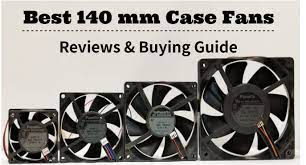
Cooling solutions are a common topic when PC builders talk to each other. Cooling solutions are important to enthusiasts, regardless of whether they’re CPU Coolers or GPU Coolers, custom loops, airflow, or custom water loops. To get the best out of your components you must keep them cool.
Your case fans are the most important component of your cooling, aside from the CPU cooler or the GPU cooler. Although 10 fans are not necessary for most cases, it is a good idea to have at least 3-4 case fans. Your case will determine the exact configuration. Make sure you read reviews about how to set your fans up once you have chosen your chassis. There are two main sizes for case fans: 120mm or 140mm. 120mm fans will fit almost all cases. 140mm fans provide better airflow (usually measured as CFM), at lower RPMs. This makes them quieter. You should check your compatibility. If you can, then 140mm fans would be a good choice. Finally, case fans are evaluated based on two factors: aesthetics (RGB) and performance & noise. When deciding which category is most important for you, keep these two factors in mind.
There are many options available because of the popularity of 140mm case fans. It can be difficult to decide, so we have compiled a list of the Best 140mm case fans in each category.
We recommend that you do not cut corners on cooling, but we also know that there are cheaper options. Each category will have both our overall recommendation and our budget-friendly choice.
Our Top Recommendations for the Best 140mm Case Fans
Best Overall (Performance/Noise), 140mm Case Fan
Noctua is the only manufacturer that can deliver the best possible performance from your case fans. Noctua, an Austria-based manufacturer is known for creating the best fans available. They can move air at a lower noise level than any other fan on the market and they do so with more power. They are built to a high standard, have a great warranty/customer service, and deliver the best performance from their fans.
Noctua has a lot of options for 140mm case fans. Noctua NF A14 PWM is our favorite recommendation. It is their standard 140mm case fan, and it is reliable and efficient. However, as you’ll notice if you click on the link or are familiar, the color scheme of the classic Noctua fan is…..controversial. Brown and beige are not everyone’s favorite. There are other options, such as the slightly less efficient but better-colored Noctua Redux NFP14s. If you’re looking for something a little more expensive but still want the same performance, the Noctua Chromax Anti-vibration Add-On is an excellent option. It offers a variety of very cool colors.
Although these fans are not cheap, they are much more affordable than other options that have a lot of RGB. The price of the classic is $22, while the Redux costs around $15 and the Chromax at $25. The Noctua fans offer great value for money, especially considering the quality of the performance.
Also Read:All About 140mm Case Fans
Best Budget Noise/Performance 140mm Fan
Noctua fans can be reasonably priced for their performance, but if your budget is tight and you still want a high-performing, no-frills fan that will last, the Arctic F14 Standard could be a good option. Arctic fans are known for being affordable and will move air more quietly than the Noctua fans. However, the F14 Standard will still deliver plenty of airflows to keep your case cool. The Arctic F14 Silent is an excellent option if you are willing to sacrifice pure performance in exchange for lower noise levels.
Best Looking RGB 140mm Case Fan
You might consider a case fan with RGB that adds some color to the Noctua fans. Case fans can be used to add lighting to your rig, such as by adding LED light strips to the motherboard RGB or motherboard RGB. Although you can search for “RGB 140mm fan”, there are many options. Not all RGB fans are created equal. While some case fans may look great, others can be hard to control. Some have excellent software but not great lighting. One of our trusted brands decided to create not only the best (though still not perfect) software but also some stunning looking 140mm case fans. The Corsair LL140 is our choice for the best RGB case fan.
The LL140 is very bright. The LL140 has 16 LED’s within a double-ring design. We know that this allows for many customization options and flash to your gaming rig. The LL140 delivers excellent performance, generating ample airflow despite its brightness. iCue, the unified Corsair software that controls fan speed and lighting for the LL140, is not perfect. Although it may not be perfect, it is still better than the garbage from other manufacturers.
However, this beauty comes with a price. The price for a two-pack of fans and the RGB Lightning hub, but not the Commander Pro if the Commander Pro is required to give you more control via iCue, is $85. This fan is not cheap at 40 dollars per unit. The quality is excellent, the lightning is amazing, and the fans suck lots of air. (Sucking is a great thing for fans!). The LL140 fan is the right fan for you if you are looking for a high-performing fan that also makes your case glow.
Best Budget Aesthetic 140mm Fan
The LL140’s can be expensive so if you’re looking for a cheaper option, the Cooler Master MasterFan Pro140mm is a strong choice. The 3-pack includes an RGB LED Controller, as well as everything needed to mount them. The fan is almost 40% more expensive than the LL140 at $45 for the three pack and the hub. Although the LED’s may not be as beautiful, they can still cool your rig and keep it looking great.
Best 2-Way 140mm Case Fan
The only problem with the RGB on LL140 fans is that they are directional. This means that the front of the fan appears better than the back. While the back is still bright enough, the front has lost the dual ring definition that makes it look so good. Corsair has yet to release a “two-way” fan that looks equally great front and back (when it is used as an exhaust) as well as from the back (when it is used as an intake). The Thermaltake RIING 140mm Premium Edition is a great choice if you’re looking for a fan with both a front and back view that allows you to set up your fans as you wish.
Thermaltake fans are very quiet and move a lot of air. The Riing Premium Edition fans, however, are exceptional. These fans can be connected to almost any major software, even Alexa. Although it may seem like a gimmick this is actually quite cool. The main advantage in aesthetics is that the LED rings on both sides of the fan are illuminated. This ensures that you have all the flashy goodness regardless of which way your fans face.
Two-way RGB is a costly option. The LL140’s were $40 each and didn’t include the RGB Node. The three-pack of Riing 140mm fans costs even more. These fans are $50 each and come in at $150 (includes the hub). These fans perform well but not as well as the Noctua ones. You will pay a premium for great looks and excellent lighting on both sides. You can get the Riing two-way-facing version for $110 if you don’t want to spend the premium price. However, the lighting quality is not as good so double-check what version you are buying before you make a purchase.
Best 2-Way 140mm Case Fans
The Thermaltake Riing is the most effective implementation of two-way fan design. However, some less-affordable implementers have started to experiment with similar designs. UpHere’s 140mm RGB Wireless fan is similar to the Thermaltake Riing in that it provides two-way lighting. Although customization is limited as the remote controls lighting, UpHere is still a reliable brand. At $40 per five packs (or $8 per fan), these cases fans are essential. These fans keep your computer cool, allowing it to run at its peak performance. They also add an important touch of style to your PC. You can personalize the fan to match your preferred color scheme, provide silent performance, adjust the direction or do a combination of all three. Even though 140mm fans are more efficient than 120mm, they are generally quieter and move more air. However, this comes at a higher price. We recommend that you include at least three case fans in your build. This will depend on the case and setup.
If you are looking for the best fan, the most versatile RGB or the most cost-effective option for your build, we recommend our recommendations. These will help your computer look great and function well with great lighting and Airflow.




